


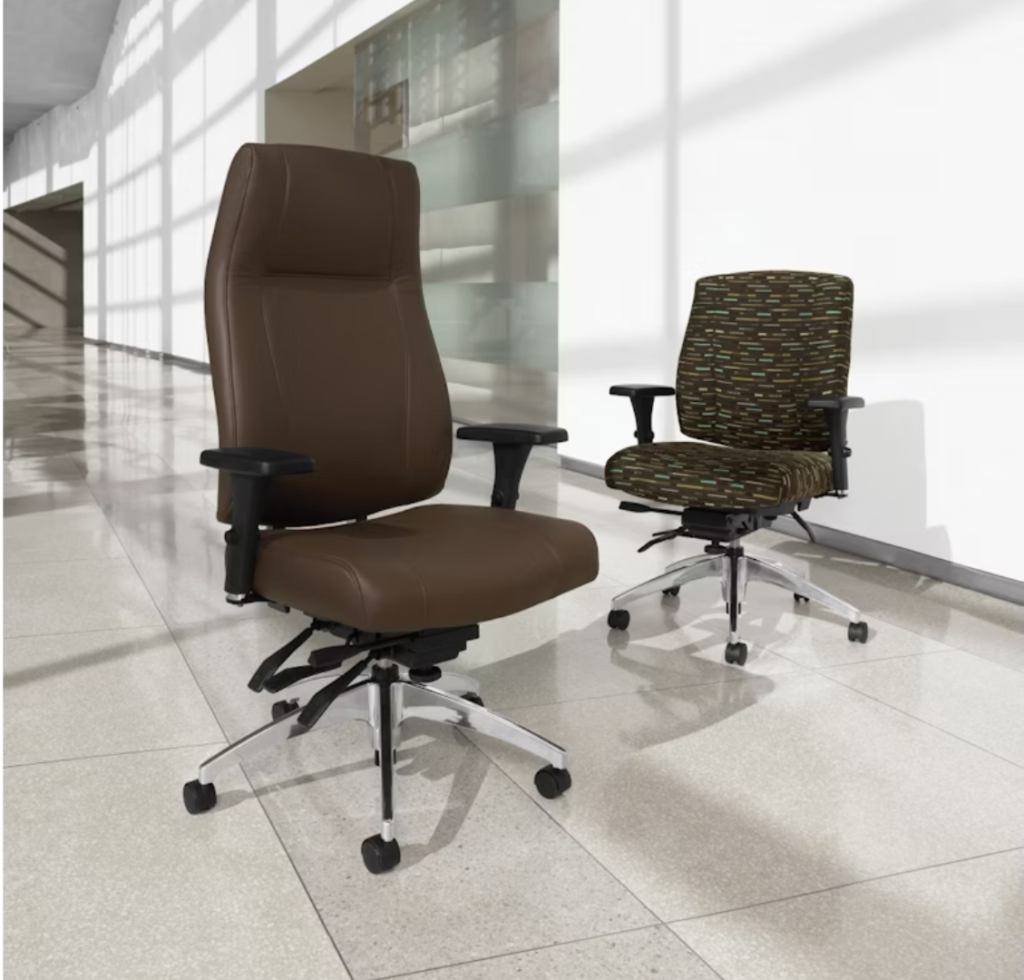
You spend hundreds of dollars on an “ergonomic” chair, but two weeks later, your back still aches and your shoulders feel tighter than ever. The problem usually is not ergonomics itself, but a few preventable mistakes people make when buying ergonomic gear in the first place.
If you’re an office manager, business owner, or remote worker in Gilbert, Scottsdale, or anywhere in the Phoenix metro, you know that choosing the right setup is more complicated than picking the priciest chair or the trendiest standing desk. The good news: most ergonomic gear mistakes are avoidable—if you know what to look for, what to skip, and when to get advice from specialists like Salt Creek Office Furniture.
Below, you’ll find a deep dive into the most common ergonomic gear buying mistakes, drawn from years of helping Arizona professionals upgrade their workspaces for real comfort and productivity. Use this as your action-focused checklist for smarter, pain-free purchases.
Why Buying Ergonomic Gear Is Harder Than It Looks
It’s easy to assume that if a chair, desk, or accessory is labeled “ergonomic,” your workday comfort is guaranteed. But the reality is that most of the pain, wasted money, and frustration we see at Salt Creek Office Furniture comes from rushed or misinformed buying decisions—not from ergonomics itself.
Real Ergonomics vs the Label on the Tag
The word “ergonomic” appears everywhere, from big box stores to online marketplaces. But true ergonomics is about how well a product supports your neutral posture—where your joints are naturally aligned, your back is supported, and your wrists stay straight as you type. According to the OSHA Computer Workstations eTool, neutral posture is essential for reducing the risk of musculoskeletal disorders (MSDs), including back and neck pain.
How Posture, Standards, and Comfort Work Together
The best ergonomic gear goes beyond marketing. Commercial-quality office chairs and desks are tested to ANSI/BIFMA standards, which ensure they are safe, durable, and adjustable for a wide range of users. But even the most rigorously tested chair can cause discomfort if it’s not fitted to your body or matched to your workspace setup.
Mistake 1 – Choosing Style or Price Over Ergonomic Support
You wouldn’t buy running shoes just because they look good, and the same goes for your office chair or desk. Yet, many Phoenix-area professionals choose gear based on appearance or the lowest price, only to find themselves battling discomfort, fatigue, and lost productivity.
What Real Ergonomic Support Looks Like in a Chair
A true ergonomic office chair provides:
- Adjustable lumbar support that fits the natural curve of your lower back.
- Seat depth and height adjustments to match your leg length and desk setup.
- Adjustable armrests that let your shoulders relax and keep your elbows at your sides.
- Breathable, high-quality materials that won’t sag or overheat—especially critical during Arizona summers.
Skimping on these features can lead to persistent pain, frequent breaks, and early replacement—costing you more in the long run.
Why Cheaper Is Often More Expensive Long Term
Many “budget” chairs and desks have minimal adjustability and use lower-grade materials that quickly wear out. According to OSHA, poor ergonomics is a leading cause of work-related musculoskeletal disorders, which can reduce productivity and increase absenteeism.
| Key Insight:
Quick ergonomic chair test in the showroom: Sit down and adjust everything—lumbar support, seat depth, armrests, and tilt. If you can’t achieve a comfortable, neutral posture in under two minutes, keep looking. |
Explore ergonomic office chairs and height adjustable desks that meet these criteria in our Gilbert and Scottsdale showrooms or browse our online selection to see what fits your workspace.
If you’re comparing desk options, see the benefits of a height adjustable desk and our office desk buyer’s guide.
Mistake 2 – Ignoring Adjustability and Fit for Different Bodies
No two people are built the same—so why do so many offices buy “one-size-fits-all” chairs and desks? The result: tall team members hunched over, petite staff with feet dangling, and a parade of sore backs and wrists. Remote workers face the same challenge, especially when buying online without ever testing the gear.
Must-Have Adjustments in an Ergonomic Chair
Look for office chairs that offer:
- Seat height adjustment to align knees with hips.
- Seat depth adjustment so there’s a 2–3 finger gap behind your knees.
- Lumbar support that moves up/down and in/out.
- Armrest adjustability for height and width.
- Backrest tilt and tension control for recline and movement.
Chairs that meet ANSI/BIFMA standards are tested for these adjustments and for durability over years of use.
Matching Desk Height to Real People, Not Averages
Height adjustable desks or sit-stand desks let you set your work surface at the right level for your height, whether sitting or standing.
At Salt Creek, our specialists help you test and adjust both chairs and desks to fit your exact body type and work style—a major reason so many Phoenix-area professionals visit our showrooms after struggling with “one-size-fits-all” gear.
| Key Insight:
If your feet don’t rest flat on the floor with your thighs parallel and your back supported, the chair is not a fit. Adjustability is non-negotiable for comfort and health. |
If you want a second set of eyes before buying, schedule a free consultation with a Salt Creek ergonomic specialist. We’ll help you avoid the most common ergonomic gear mistakes and match your budget to the right options.
Mistake 3 – Treating Chairs, Desks, and Accessories as Separate Purchases
You buy a great chair, but your desk is too high. Or you upgrade to a sit stand desk, but your monitor wobbles and your keyboard is still awkwardly placed. The biggest ergonomic gear mistake we see is treating each piece as a standalone solution—when, in reality, your comfort depends on how everything works together.
When a Good Chair and Bad Desk Cancel Each Other Out
No chair can compensate for a desk that’s too tall or too shallow. If your forearms are angled up to the keyboard or your monitor is below eye level, you’ll hunch and strain—defeating the purpose of even the best ergonomic office chairs.
Accessories That Fix Gaps Between Furniture and Your Body
Monitor arms, footrests, and ergonomic keyboards or mice aren’t “nice to haves”—they’re often essential. A monitor arm lets you position your screen at the perfect height and distance. A footrest supports shorter users whose feet don’t touch the floor. Ergonomic keyboards and mice reduce wrist strain and help maintain neutral posture.
| Key Insight:
To check if your gear works together: Sit at your desk and try this—can you keep your shoulders relaxed, elbows at your sides, wrists straight, and eyes level with the top of your monitor? If not, something needs adjusting—either the furniture or the accessories. |
For a more complete overview of setting up your workspace, see our ergonomic office furniture guide.
Mistake 4 – Buying Without Testing or Expert Advice
Online shopping makes it tempting to buy ergonomic gear sight unseen—but what fits one person’s body and workflow can be totally wrong for another. When you’re investing in gear you’ll use for eight or more hours a day, a quick in-person test can save months of regret.
What to Test in Person Before Buying
- Chair adjustments: Can you reach and operate all levers while seated? Can you achieve a relaxed, supported posture?
- Desk mechanism: Is the height range wide enough for your body, whether sitting or standing? Does it wobble or feel unstable at higher settings?
- Material quality: Is the cushioning supportive? Will the upholstery hold up in Arizona’s dry climate?
- Accessory compatibility: Will your monitor arm, keyboard tray, or footrest fit the gear you’re considering?
Questions to Ask an Ergonomic Specialist
- Is this chair or desk certified to ANSI/BIFMA standards for durability and ergonomic performance?
- What adjustments are available, and will they fit my height and work habits?
- Can I try out different configurations with accessories like monitor arms or footrests?
- Are there local service or warranty options if something needs repair?
At Salt Creek, our Arizona showrooms let you test a wide variety of office furniture in Phoenix—with expert staff ready to guide you through every adjustment and answer your setup questions on the spot.
How to Shop Smart for Ergonomic Gear in Gilbert and Scottsdale
Buying ergonomic gear doesn’t have to be overwhelming. Here’s a step-by-step checklist to keep you focused and confident:
Your Pre-Shopping Checklist
- Define your needs: Are you outfitting a single home office, a small business, or a whole team? List specific pain points or comfort issues.
- Measure your space and yourself: Note desk area, height, and available room for movement. Record your height, preferred sitting and standing posture, and leg length.
- Research core features: Prioritize lumbar support, adjustability, and materials that withstand Arizona’s climate.
- Test gear in person: Visit a local showroom like Salt Creek in Gilbert or Scottsdale. Try out several options and take notes on what feels best.
- Review standards: Ask about ANSI/BIFMA certification and how it impacts durability and ergonomic support.
- Confirm adjustability for everyone: If buying for a team, ensure each person can achieve neutral posture.
- Consider accessories: Don’t forget monitor arms, footrests, and ergonomic input devices.
What to Bring to the Showroom
- Measurements of your workspace
- A list of current pain points or frustrations
- Your most-used work tools (laptop, monitor, keyboard)
- Photos of your current setup, if possible
FAQ: Buying Ergonomic Gear
What should I look for first when buying ergonomic gear for my home office?
Start by identifying the main pain points you want to solve (like back pain or wrist discomfort), then prioritize gear with strong adjustability—especially lumbar support in chairs and height adjustability in desks. Always test or measure before buying to ensure a good fit. For more tips, review our home office furniture options.
How can I tell if an ergonomic chair will actually fit my body?
Sit in the chair and adjust the seat height so your feet rest flat and your knees are at hip level. Check that the lumbar support fits your lower back curve, and that you can adjust the seat depth to leave a small gap behind your knees. Armrests should let your shoulders relax. If you can’t achieve these adjustments, keep looking.
Is a standing desk worth the investment, or should I upgrade my chair first?
Both matter, but if you’re on a budget, start with a supportive, adjustable chair to address sitting posture. A height adjustable desk (sit stand desk) is a great next step, especially if you want to alternate positions. Be sure to learn proper sit stand desk setup for the best results.
Do ANSI/BIFMA standards really matter when I buy ergonomic office furniture?
Yes. ANSI/BIFMA standards ensure that chairs and desks meet rigorous benchmarks for safety, durability, and ergonomic performance. Buying ergonomic gear that meets these standards means your investment is more likely to last and support your health, especially with daily use in commercial or home office settings.
Can I mix different brands of ergonomic chairs, desks, and accessories and still get a good setup?
You can, but only if you ensure that all pieces work together to support neutral posture. Sometimes mixing brands leads to mismatched heights or compatibility issues. It’s best to test everything together in a showroom or consult with an ergonomic specialist to confirm your choices will function as a system.
Invest in Comfort—Avoid the Mistakes
Smart buying decisions—not just big budgets—make the difference between an ergonomic workspace that relieves pain and one that gathers dust. By avoiding the most common mistakes when buying ergonomic gear, you can protect your health, maximize your comfort, and make every dollar count. Whether you’re setting up a home office in Gilbert, upgrading a Scottsdale business, or outfitting a Phoenix-area team, Salt Creek Office Furniture is here to guide you from first questions to final fit.
Ready to stop guessing about ergonomic gear? Visit our Gilbert or Scottsdale showrooms, or call us at 480-598-1900 or 480-443-1400 to get fitted for ergonomic chairs, desks, and accessories that actually support your workday. For a deep dive into ergonomic theory, standards, and full workspace setup, check out our ergonomic office furniture guide. Your body—and your team—will thank you.
Salt Creek Office Furniture | Family-owned Arizona business
Gilbert Showroom: 2757 S Santan Village Pkwy Suite 101, Gilbert, AZ 85295 | 480-598-1900
Scottsdale Showroom: 14202 N. Scottsdale Rd. Suite 110, Scottsdale, AZ 85254 | 480-443-1400
Serving Phoenix, Arrowhead, Tempe, Wickenburg, Tucson, and beyond.