


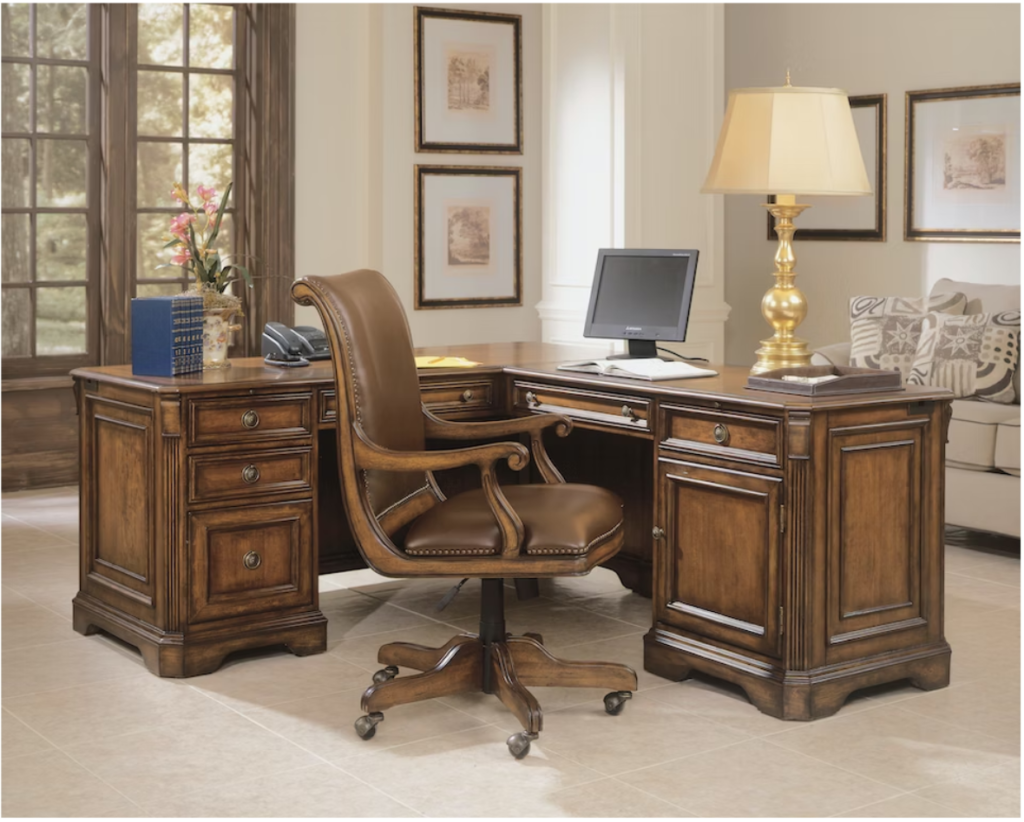
What Makes a Desk Ergonomic in the First Place
When you hear “ergonomic desk,” you might picture a futuristic sit-stand workstation or a minimalist setup. But the core principle is simple: an ergonomic desk lets you maintain a neutral posture—where your feet are flat, knees are at about 90 degrees, elbows are level with the desktop, and your wrists are straight while typing. This position helps reduce fatigue, strain, and the risk of long-term pain according to guidance from the Mayo Clinic and OSHA.
Neutral Posture At The Desk
Neutral posture means your body is aligned so no joint or muscle group is working harder than it should. For desk work, this typically looks like:
- Feet flat on the floor (or on a footrest)
- Knees and hips at or just above 90 degrees
- Elbows close to your sides and forming an “L” shape
- Wrists straight and hands hovering comfortably over the keyboard
- Shoulders relaxed, not hunched or raised
- Monitor top at or just below eye level
This setup reduces pressure on your lower back, shoulders, and neck—a must for anyone logging long hours at a desk.
How Desk Height Affects Your Shoulders And Wrists
Most traditional desks, especially executive models, come in at a fixed height of about 29 inches. That can be comfortable for taller users but often forces shorter professionals to hunch their shoulders or awkwardly angle their wrists, leading to discomfort over time. The right ergonomic office chair can help by adjusting your seated height, but there’s a limit to how much a chair alone can compensate for a desk that’s too high or too low.
What Standards Like ANSI BIFMA Actually Tell You
ANSI BIFMA X5.5 is a standard that ensures desks and tables are structurally sound, safe, and durable. It’s a strong indicator of build quality and longevity, but it doesn’t guarantee ergonomic fit for every body type. Think of it as a baseline: an ANSI BIFMA compliant desk like those you’ll find at Salt Creek Office Furniture is built to last, but you still need to check if the dimensions support your personal comfort.
Executive Desks 101: Style, Size, and How They Impact Your Body
Executive desks are the statement pieces of office furniture. They’re built to impress, with generous surfaces, substantial legs, and plenty of integrated storage. But what does that mean for your comfort and posture?
Typical Dimensions Of Executive Desks
Executive desks often measure 66 to 72 inches wide and 30 to 36 inches deep (sometimes even more in U shaped or L shaped styles). The fixed height is usually 29–30 inches. While this size gives you ample workspace and presence, it can also increase the distance to your monitor and keyboard, forcing you to reach farther than is ideal for neutral posture.
Storage, Modesty Panels, And Knee Clearance
It’s common for executive desks to include file drawers, pencil drawers, and full modesty panels. These can be convenient for organization but sometimes limit leg room—especially for taller users or anyone who likes to move their chair freely. Always check the knee clearance (the open space beneath the desk) and ensure you have enough depth to pull your chair close without bumping into drawers or panels.
Executive Desks In Home Offices Vs Private Offices
In a corporate office, a large executive desk can define your workspace and impress clients. In a home office, size and weight may be a bigger consideration—you don’t want a desk that overpowers the room or is impossible to move. Some models are designed specifically for home offices, with sleeker lines, modular storage, and cable management to suit smaller spaces.
To compare options, browse our home office desks and see how executive styles translate to different work environments. You can also view a variety of home office setups for inspiration.
Pros of Ergonomic Executive Desks
So, what are the real benefits of choosing an executive desk—especially if you care about both style and comfort?
Visual Presence And Professional Image
An executive desk instantly signals authority and professionalism. For many Phoenix area professionals, it’s about more than looks: a substantial desk can help you focus, set boundaries, and make a strong impression on clients or colleagues.
Storage That Actually Supports Workflow
Built-in drawers and cabinets keep files, supplies, and devices close at hand. When organized well, this storage reduces clutter and lets you maintain better posture, since you’re not constantly twisting or reaching for essentials.
When Executive Desks Work Well With Ergonomic Accessories
Many modern executive desks—like those in the Maverick executive desks collection—offer improved knee clearance, cable management, and compatibility with monitor arms or keyboard trays. This makes it much easier to personalize your setup for ergonomic comfort.
Some models, such as the Caraway 66 inch executive desk, balance classic looks with updated proportions and storage placement for better usability.
| Key Insight: In some offices, the best solution is combining a classic executive desk for meetings with a height adjustable workstation for deep work. |
The Drawbacks and Limitations You Need To Know
While executive desks offer undeniable appeal, there are real ergonomic tradeoffs to consider.
When Desk Height Works Against You
Fixed-height desks (especially the standard 29–30-inch height) are based on averages that may not fit your body. If you’re shorter, the desktop may force your elbows and shoulders into an uncomfortable position; if you’re taller, you may find your knees cramped under bulky drawers. Even the best ergonomic office chair can only adjust so much if the desk is fundamentally the wrong height.
| Key Insight: If you cannot keep your elbows at about 90 degrees with your shoulders relaxed while typing at an executive desk, the desk height is not ergonomic for you, even if the furniture is high-quality. |
Depth, Reach, And Screen Distance
Deep executive desks look impressive, but may place monitors too far away for comfortable viewing, especially if you wear glasses or have multi-monitor setups. According to Mayo Clinic guidelines, your monitor should be about an arm’s length away—much farther, and you risk leaning forward or squinting, which strains your neck and upper back.
Traditional executive desks also have thicker edges and modesty panels that can make it difficult to install keyboard trays or monitor arms, limiting your ability to fine-tune your posture.
When An Executive Desk Is Not The Right Choice
If you prefer to switch between sitting and standing, or you need to share your workspace with others, a fixed executive desk may feel limiting. Large, heavy desks are hard to reposition in small spaces. And if your workflow demands frequent posture changes, a sit-stand desk or hybrid setup might be a better fit.
For a deeper look at health impacts of poor workstation setup, see our ergonomic office furniture guide for comfort and focus.
How To Evaluate an Executive Desk for Ergonomics In the Showroom
Before investing in a premium executive desk, it’s essential to test how it fits your body and workflow. Here’s a practical, step-by-step process to make sure your new desk supports you—not the other way around.
Bring Your Measurements And Heel Height
Start by measuring your seated height from the floor to your elbow with your arms at your sides, and from the floor to the underside of your thigh. Wear the shoes or heels you typically use at work. Bring these numbers to the showroom so you can quickly check if the desk height and knee clearance will work for you.
Test Your Typing And Mouse Position
Sit at the desk in an ergonomic office chair, with your feet flat and your knees at about 90 degrees. Place your hands on the desktop as if typing. Are your elbows relaxed and close to 90 degrees? Are your wrists straight, or do you have to bend them up or down? Try reaching for the area where your mouse and keyboard would sit—if you’re stretching or shrugging your shoulders, the desk may be too high or deep.
Check Monitor Distance And Mounting Options
Place a monitor (or a stand-in object) at the back of the desk. Can you see the top of the screen at or just below eye level without craning your neck? Is the screen about arm’s length away? If not, check whether the desk supports a monitor arm or whether the depth will force you to lean forward. Look for cable management solutions if you use multiple devices.
Talk With A Designer Before You Decide
Showroom staff at Salt Creek Office Furniture can help you pair desks with the right ergonomic chairs, keyboard trays, and monitor arms. Bring photos of your current setup and any pain points you’ve experienced. Our team can suggest modifications—such as footrests, adjustable chairs, or executive desks with sit-stand features—to create an optimal fit.
Executive Style, Real Comfort: Choosing the Right Setup in Phoenix
Whether you’re furnishing a Scottsdale executive suite, a home office in Gilbert, or a private medical or legal office in Tempe, the right workspace balances style, functionality, and comfort.
Matching Desk Style To The Way You Work
If your work is mostly seated, involves client meetings, and you value a sense of “arrival” in your space, a classic executive desk—paired with an ergonomic office chair and the right accessories—can absolutely be ergonomic. Prioritize models with good knee clearance and compatibility with keyboard trays and monitor arms.
When To Choose Height Adjustable Options
If you crave movement, want to alternate between sitting and standing, or have struggled with pain from all-day sitting, a height adjustable executive desk or a hybrid setup (executive desk for meetings, sit stand for focused work) is worth considering. Maverick’s executive line, for example, blends prestige with sit stand flexibility.
For step-by-step setup tips, see our upcoming guide on [sit stand setup][LINK TO FUTURE BLOG: “sit stand setup”].
Visit Salt Creek To Try Ergonomic Executive Desks In Person
The best way to know if an executive desk will work for you is to try it in person. Salt Creek Office Furniture’s Scottsdale showroom and Tempe location serve the entire Phoenix metro, including Gilbert and Arrowhead, with expert design support and a selection of ergonomic executive desks you can test.
FAQs
Are executive desks ergonomic or just decorative?
Executive desks can be ergonomic if their height, depth, and storage allow for neutral posture—meaning your elbows, knees, and wrists are in comfortable alignment. However, not every executive desk is automatically ergonomic. It often takes the right chair, the right accessories, and the right setup to achieve comfort.
What should the height of an executive desk be for good posture?
The ideal executive desk height lets you sit with your elbows at about a 90-degree angle, shoulders relaxed, and wrists straight while typing. For most people, this means a desk height between 28 and 30 inches, but individual needs can vary depending on your height and chair adjustment. Always test the desk in person before buying.
Can I make a traditional executive desk more ergonomic without replacing it?
Yes. Pairing your executive desk with an ergonomic office chair, adding a keyboard tray or monitor arm, and using a footrest can all help improve posture. Adjust your chair height so your feet are flat and your arms are in a neutral position, and bring monitors closer if the desk is deep.
Is a height adjustable executive desk better than a separate standing desk?
A height adjustable executive desk combines the style and storage of a traditional executive desk with the flexibility to sit or stand. This can offer the best of both worlds for many professionals. However, for some, a separate standing desk used alongside a classic executive desk provides more layout options. The right choice depends on your workflow and space.
How do I know if an executive desk will fit my body before I buy it?
Bring your seated measurements (floor to elbow, floor to thigh), try the desk with an adjustable chair, and check if you can maintain a neutral posture while typing and viewing your monitor. In the Phoenix area, visit Salt Creek’s showrooms to test setups in person and get expert guidance.
Family Owned Arizona Office Furniture Store
Executive desks can absolutely be part of an ergonomic workspace—if you pay close attention to desk height, depth, knee clearance, and how the desk interacts with your chair and accessories. For some, a traditional executive desk paired with the right ergonomic chair and monitor arm is the perfect combination of style and comfort. For others, especially those who want the flexibility to stand, a height adjustable executive desk or a hybrid solution may be the better ergonomic choice.
Salt Creek Office Furniture is here to help Phoenix area professionals navigate these options. As a family owned Arizona office furniture store with decades of experience, we understand both the science behind ergonomic executive desks and the desire for a workspace that truly reflects your professional image.
Ready to test ergonomic executive desks in person? Visit our Scottsdale or Tempe showrooms, or call us to talk through your space before you drive over—we’re here to help you create a healthy, beautiful office that works for you.